Assessment for Cloud Migration
Upload your current-state architecture document, point it at a GitLab repository, or both. In a few minutes you get a brownfield refactor plan, a future-state design on Azure, a costed business case and an Azure versus colocation comparison — the work that normally takes a month of workshops to reach a first draft.
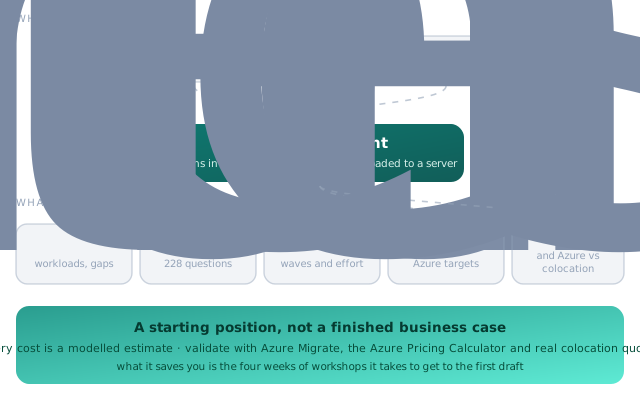
Most cloud migrations stall at the same place: nobody can say what moving would actually cost, or what breaks if you try. The answer needs an inventory of what you run, a judgement on what each workload becomes on Azure, an effort estimate, and a comparison against the alternatives. Getting to a credible first draft of that usually takes four to six weeks of discovery workshops.
This tool gets you to that first draft in an afternoon. It reads what you already have — an architecture document, your code, or both — extracts the technologies, workloads, availability targets, recovery times, data volumes and compliance scope, then uses those answers to pre-fill a brownfield questionnaire and build the plan. You correct what it got wrong; it recalculates.
It does not replace the discovery. It replaces the blank page you start the discovery from, which is the part that takes longest and produces the least.
What you give it
Either source works on its own. Give it both and it reconciles what the document claims against what the code actually does — which is usually the most useful output of the whole exercise.
A current-state architecture document
Word, PDF, HTML, Markdown or plain text. The document is read in your browser and parsed for technologies, workloads, integrations, availability and recovery targets, data volumes, security gaps and compliance scope.
- Scored against a 26-section architecture document template, with missing and incomplete sections listed
- A gap report downloads as CSV, and a blank template as Word
- Scanned image-only PDFs have no text to read — use the Word or HTML version
A GitLab repository
A project URL with a read-only access token, a downloaded .zip, or the built-in sample repository if you just want to see what it does. Self-managed GitLab works if your instance allows the origin.
- Container and context diagrams, component and API catalogues, process and event flows
- Entity relationships read from JPA, EF, TypeORM, Mongoose, Django, Prisma and SQL migrations
- Deployment and CI/CD views from Kubernetes, Helm, Compose, Terraform, Bicep and pipeline files
- Security and technical-debt findings, including hard-coded secrets, end-of-life runtimes and root containers
The questionnaire does the narrowing
About 228 brownfield questions across 30 sections, but you will never see all of them. The first question asks which application types you run, and only the relevant sections appear.
Conditional, not exhaustive
Answer that you have SQL Server, SSIS and a mainframe, and you get those sections. You do not get asked about IoT, Notes or Oracle Forms.
Pre-filled from your evidence
Anything the document or the repository already established is filled in and marked as detected, so you are correcting rather than typing.
Every question explains itself
An expandable panel on each one: what it asks, why it matters, how to answer it, where to find the answer, and what it changes in the plan.
Answers feed straight through: they add workloads and Azure targets to the refactor plan, raise compatibility blockers (Azure SQL Database feature gaps, FILESTREAM on Managed Instance, multidimensional SSAS, OpenShift objects on AKS), add effort to the budget and generate stories in the delivery plan. The whole questionnaire exports as CSV if you would rather run it as a workshop.
What comes out
Refactor plan
Each workload with its Azure target, grouped into delivery waves, with effort and the blockers that have to be cleared first.
Future-state design
The target architecture on Azure, with the landing zone subscriptions and the resource inventory behind it.
Business case
Labour hours and cost by role and wave on editable rates, non-labour costs, contingency, compared against your budget band.
FinOps view
Pay-as-you-go against one-year and three-year reservations and savings plans, over one, two and three-year horizons.
Azure versus colocation
The alternatives costed honestly alongside the refactor, including SaaS candidates by workload, so the recommendation survives scrutiny.
Delivery backlog
Epics and stories per wave and workload, assigned to teams and scheduled into sprints by velocity. Exports as Jira CSV or JSON.
Where your data goes, and what the numbers are worth
- Your document never leaves your browser. It is parsed locally by JavaScript running on your own machine. Nothing is uploaded to BONITS and nothing is stored.
- A GitLab token stays in the page's memory and is sent only to your own GitLab. Use a short-lived, read-only token with
read_apiscope, and revoke it afterwards. - The page loads five libraries from a public CDN — the Word and PDF readers, a zip reader, a YAML parser and the diagram renderer — plus fonts from Google. If you are behind a strict corporate policy, check those are reachable.
- Every cost is a modelled estimate. The rates are editable and the arithmetic is sound, but the inputs are assumptions until you replace them.
- Validate before anyone signs anything — with Azure Migrate for the inventory, the Azure Pricing Calculator for the run cost, and real quotes for the colocation comparison.
- Static analysis infers, it does not confirm. Designs read out of code are a strong starting hypothesis; check them with the teams that own the services.
- Limits: up to 3,000 text files and 500 KB per file are read from a repository. Dependency and build folders are skipped.
- It is a first draft, deliberately. Treat the output as the agenda for your first discovery session, not as its conclusion.
Run it, then bring us the result
The assessment is free and there is nothing to sign up for. If what it produces looks like a programme worth doing, we will go through the output with you, challenge the assumptions that matter most to the number, and turn it into a plan you can fund.